
20+ Gmail Addons for Both Professional and Personal Use
38% of employees check email at dinner tables, but Batched Inbox restricts email delivery to specific hours. Rapportive reveals workplace and social profiles from email addresses while Clearbit Connect finds anyone's email from company names. Bananatag tracks exactly when recipients open messages with location and time stamps. Streak transforms Gmail into full CRM with pipeline management and customizable mass emails.
Summary
- 38% of employees check email at the dinner table - Batched Inbox combats email addiction by restricting when you receive emails to specific hours each day, while keeping urgent contacts prioritized for instant delivery
- Contact management tools reveal who is emailing you - Rapportive shows workplace and social profiles from just an email address, while Clearbit Connect works backwards to find anyone’s email from just their company name
- Email tracking shows exactly when recipients open your messages - Bananatag notifies you with location, time, and whether they clicked your links, plus analytics on open rates and engagement patterns
- Streak turns Gmail into full CRM software - Manage sales pipelines, track leads through stages, customize mass emails with templates, and monitor opens without leaving your inbox. Need help automating workflows?
Email has become the go-to platform for businesses trying to communicate with employees, especially with multi-site operations and remote employees. While Gmail, at a glance, has all the features one might want, you can super-charge it even further using Gmail addons.
There are Gmail addons for almost any task you might think of. From simple inbox management to turning your email into a state-of-the-art CRM. The Gmail addons fall into the following categories:
Gmail Addons: The Complete List
Inbox Management
Tools to declutter & optimize your inbox, making your email usage experience more pleasant and productive. These Gmail addons are a must-have if you want to reach Inbox (0).
Unroll.me
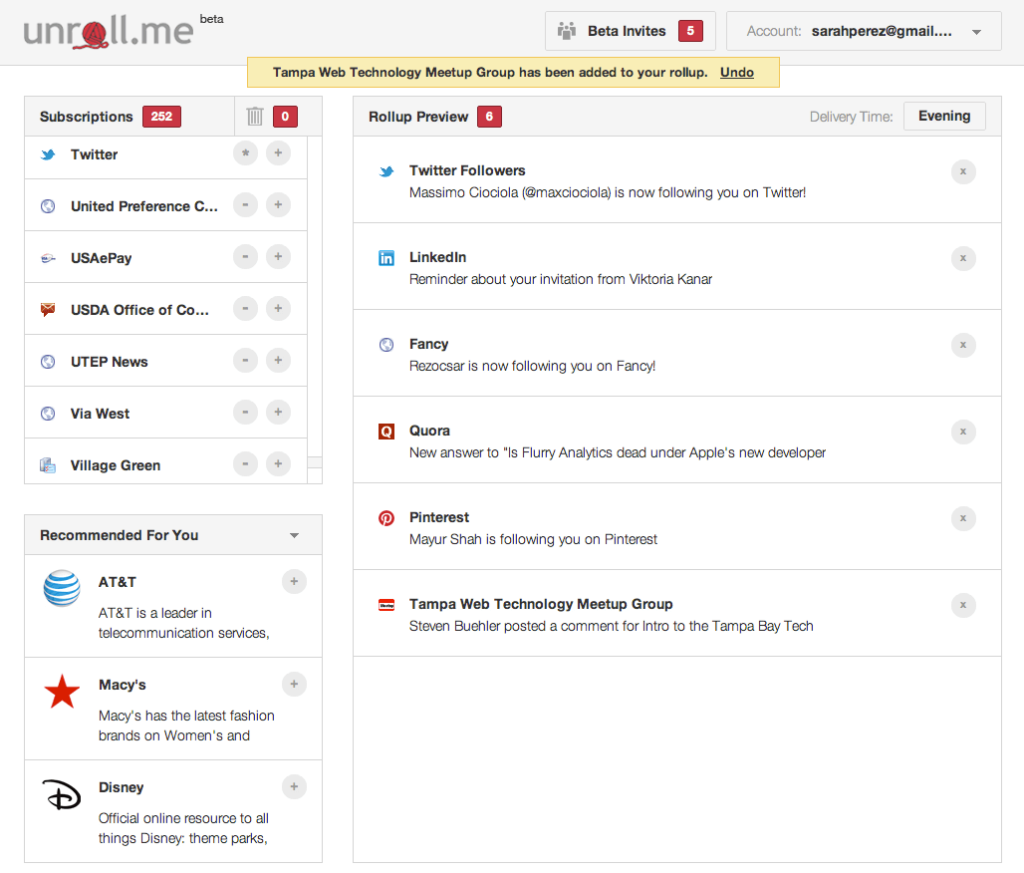
Everyone ends up signing up for a newsletter they don’t need. Sometimes it’s to get that free E-book, others, the newsletter just turns out to be lackluster.
Then, unless you go through your emails one by one, unsubscribing from all of them will be a major hassle.
And that’s where Unroll.me comes in. Rather than having to unsubscribe from each and every newsletter, it gives you an easy to use dashboard to control all the subscriptions. Then, you can unsubscribe from whichever newsletter with a simple click.
Or, if there are several newsletters you read on a daily basis, you can round all of them up in one single E-mail, making it much easier to read.
SaneBox
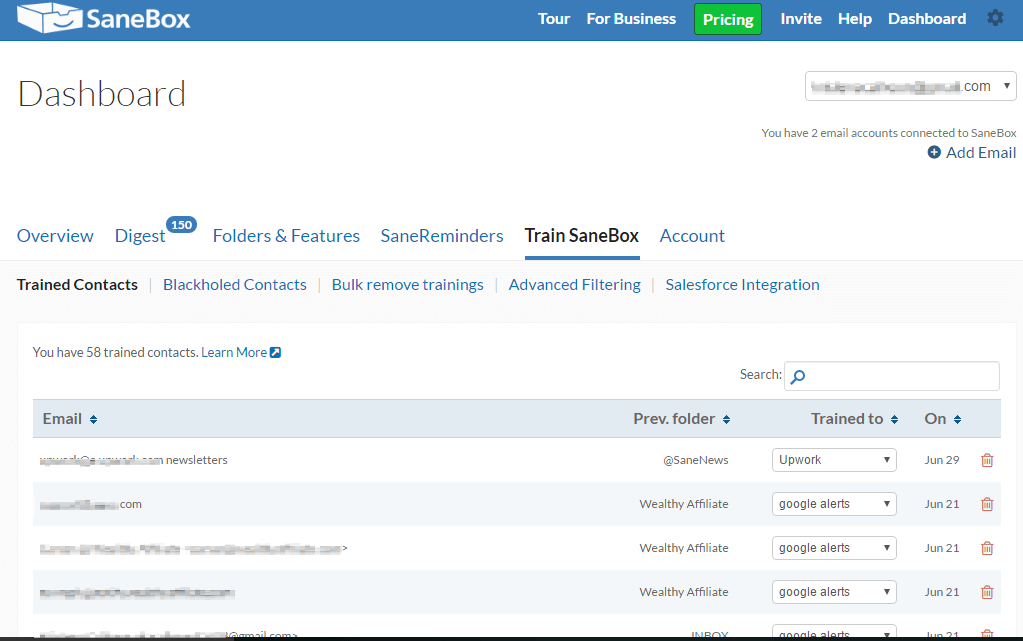
Opening up your inbox can, at times, be a nightmare. Emails from your boss are hidden somewhere in between annoying Facebook notification emails, newsletters, and spam.
To combat that, SaneBox does, well, exactly what the name implies: turn your InBox into a SaneBox, allowing you to retain your sanity. It automatically goes through your inbox and classifies what’s important and what isn’t. Then, it shows you all the important stuff separately, and the rest in a daily E-mail “digest.”
Batched Inbox
E-mail can sometimes be “addictive.” According to Batched Inbox, 38% of employees tend to check their E-mails even at the dinner table.
While those E-mails can sometimes be important, in most cases, it’s out of instinct & habit.
Batched Inbox helps you de-stress your personal life by restricting the times when you can receive E-mail. You set a specific hour for each day, and receive all the E-mails at the same time. This helps make you productive both for the task you’re working on or helps you focus in your personal time.
And no - all the important stuff stays as is. You get to prioritize E-mails or contacts that are important and receive those E-mails instantly. You’re not going to be getting 3 E-mails at the same time called: “Urgent,” “VERY URGENT, REPLY NOW,” “You’re fired.”
Email Writing
How you write your E-mail is important. In fact, it’s a skill a lot of people tend to lack. These tools help you perfect the art of writing the perfect E-mail.
Grammarly
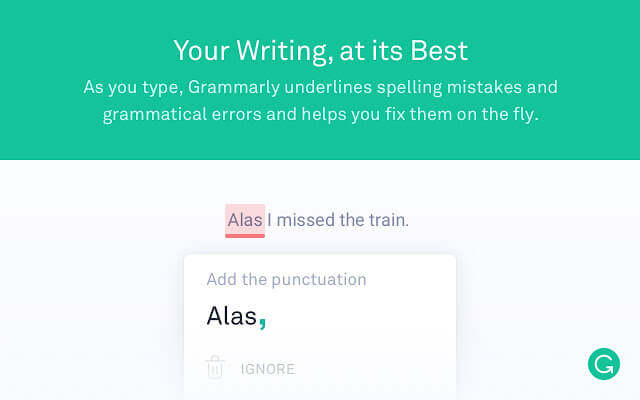
While Grammarly isn’t a Gmail addon per se (it’s for Google Chrome as a whole), it does work inside Gmail. Its uses can be very essential - it analyzes your text and gives you suggestions based on grammar, spelling, word choice, or anything along those lines.
Whether you’re E-mailing a coworker, employer or future boss, you won’t end up making any grammatical blunders.
Crystal
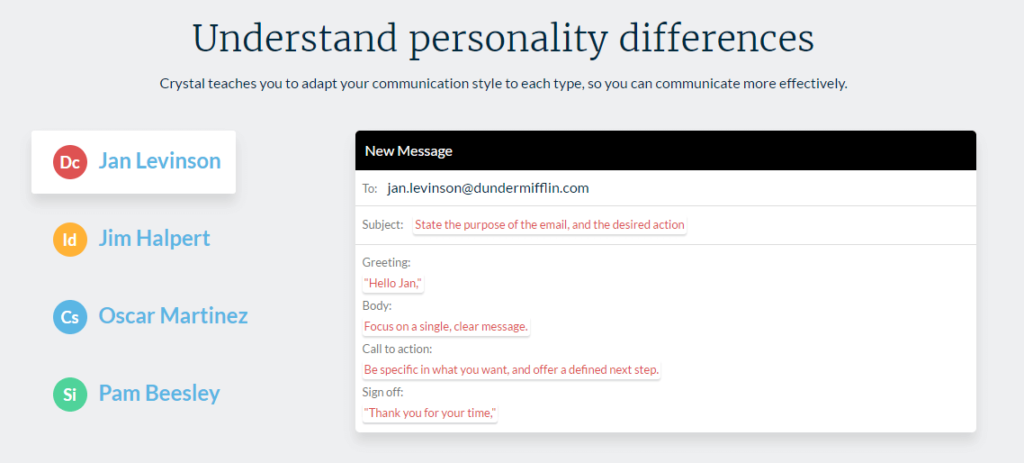
Everyone likes their E-mails differently. Some prefer short and concise, while others like long, creative essay E-mails.
This can be very confusing in a lot of situations. Say, you’re emailing a potential employer, or pitching a news story to a journalist.
“What type of E-mail should I write? Formal? Informal?
Long? Concise?” is a very common problem.
And that’s where Crystal comes in. With a personality database of millions of professionals, it allows you to see the exact type of E-mail someone would appreciate. Based on the contact’s personality, it gives you different suggestions on how to format the E-mail, what kind of subject line to put in, and so on.
Scheduling
Sometimes, it’s just not the right time to send or read that E-mail. These tools help you schedule when to send or receive E-mails.
Boomerang
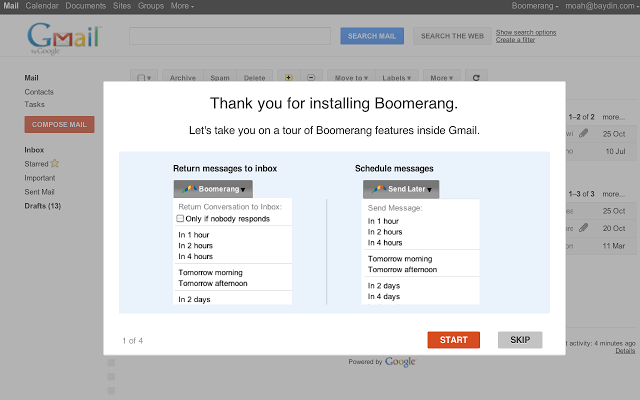
Maybe your recipient is in a different timezone, or you’re not at the best place to answer an E-mail. Boomerang allows you to send and receive E-mails whenever it’s convenient for you.
You can, for example, choose to send out the E-mail at 2 pm on a Monday. Or, archive an E-mail until 7 pm after work, when you have the time to respond, and won’t forget about it.
FollowUpThen
FollowUpThen works in a similar way to Boomerang, but with some light differences. It also lets you schedule your emails whenever you need them, but it also has the added functionality of sending out SMS in addition to E-mail.
Task Management
With these tools, you can take your Gmail to the next level, adding task management functionalities in addition to typical E-mail featured.
ToDoIst
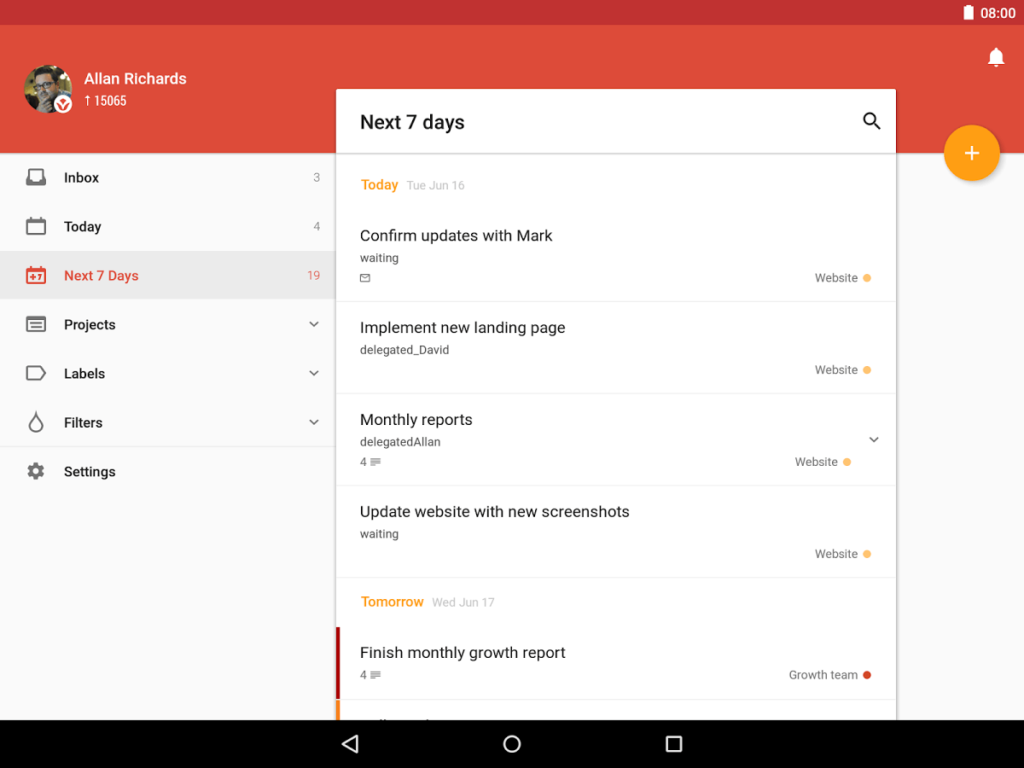
ToDoIst transforms your typical inbox into a powerful project management tool. It allows you to turn a normal E-mail into an actionable task, with everything that comes with it: reminders, deadlines, and even collaboration with other people.
Active Inbox

As with ToDoIst, Active Inbox is Gmail-turned-task-manager. It has the task-management features you need to stay organized and productive.
Sortd
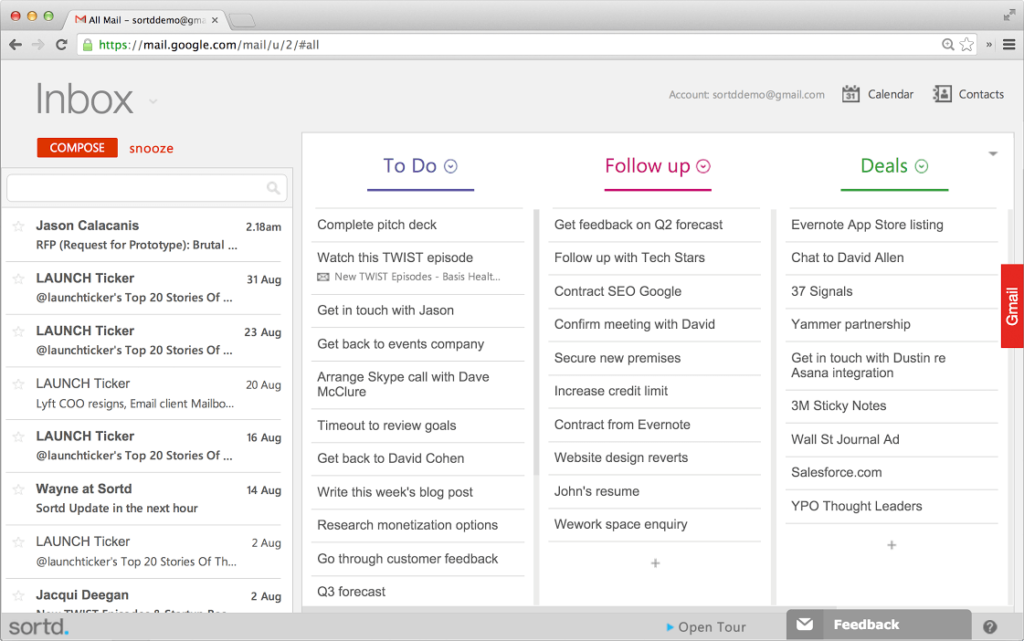
With a Trello-esque interface, Sortd allows you to divide up your e-mails into separate to-do lists. You can name the lists according to your needs, for example:
- Generic E-mail
- To-Do
- Waiting for Response
Or, well, any other way that suits your needs.
Email Tracking
Usually, you can’t really know what happens when you send out an E-mail. Did the recipient get to read it?
Did it just end up in their spam folder? Did they look at that portfolio you attached? E-mail Tracking tools help you answer all of those questions.
Bananatag
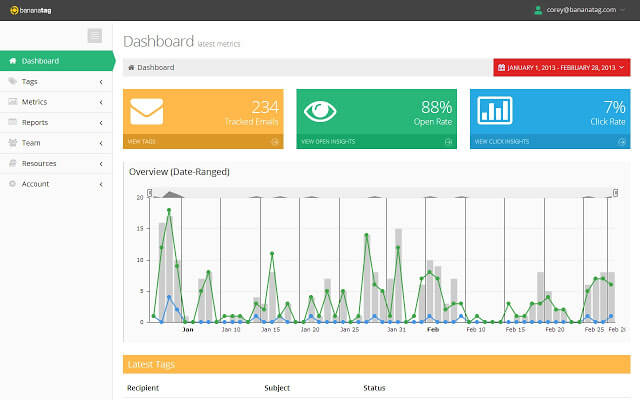
Bananatag tracks every little thing that can be tracked with an E-mail. It notifies you whenever the e-mail you sent out was opened, including all sorts of details such as location, time, etc.
As a bonus, it can also track your links.
If you attach a link to an E-mail with Bananatag open, it will track the link and notify you back whenever your links are opened. In addition to the tracking, it also offers analytics: how many people open your e-mail, how many click the link, and so on.
TheTopInbox
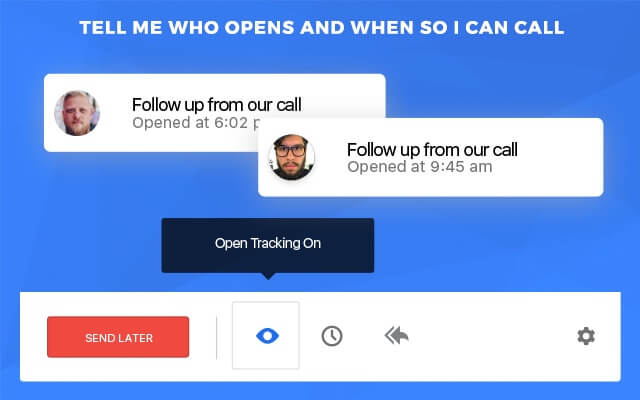
TheTopInbox works in a similar way to Bananatag, keeping track of your E-mail opens & notifying you in real time.
It has some added benefits, such as automatic follow-up, for example. If the E-mail isn’t opened within a certain number of days, or you’re not receiving any replies, you can schedule a follow-up E-mail to be sent out.
Contact Management
Let’s say you receive an E-mail from “Jake Johnson,” saying they’d like to keep in touch since the last meeting.
Awkwardly enough, you have no idea who the person is, or what they’re talking about.
Contact management tools help you identify the person getting in touch with you.
Rapportive

Rapportive attaches to the right side of your E-mail and shows up as a small, rectangular box with all the information you’ll need about your contact. Name, last name, picture, workplace, and even their social media contacts.
ClearBit Connect
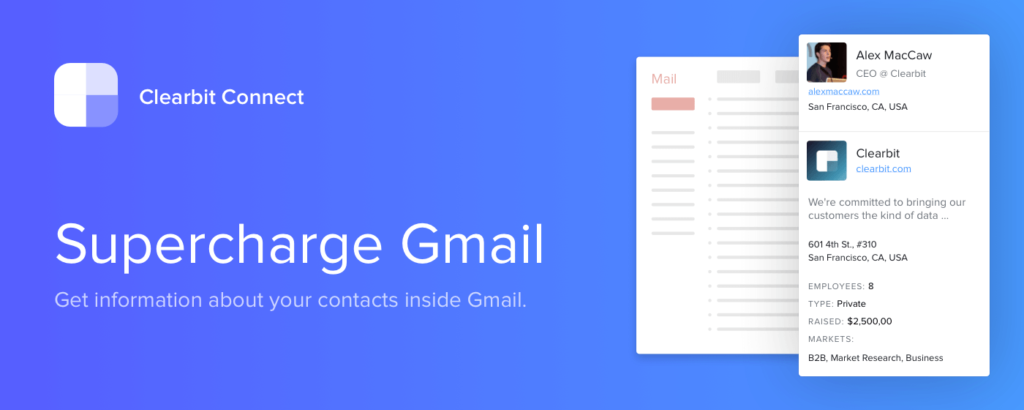
Clearbit Connect works in a similar way to Rapportive, but with an added bonus.
In addition to getting information from someone’s E-mail, it also works the other way around. Just with the name of a company, you can find the E-mail address and information about almost anyone working there.
CRM Tools
Streak
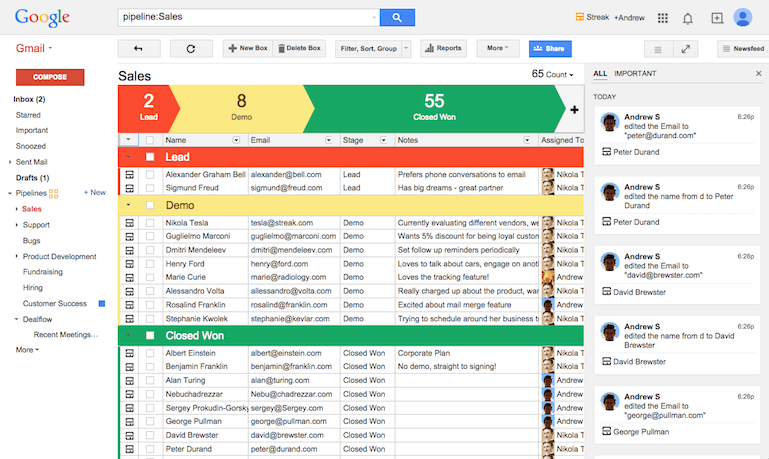
With Streak, you can turn your Gmail account into a state-of-the-art CRM software.
It allows you to do essentially everything that you might need to deal with clients or customers, including (but not limited to):
Pipeline management: keeping track of your leads depending on different stages
E-mail tracking: notifying you whenever an E-mail is opened, and for how long
Mass-email customization: customizing your E-mail based on different templates. [name], for example, inputs the name of your leads in all the E-mails.
Misc. Tools
Misc tools are pretty much anything that can help make your Gmail experience more pleasant.
WiseStamp
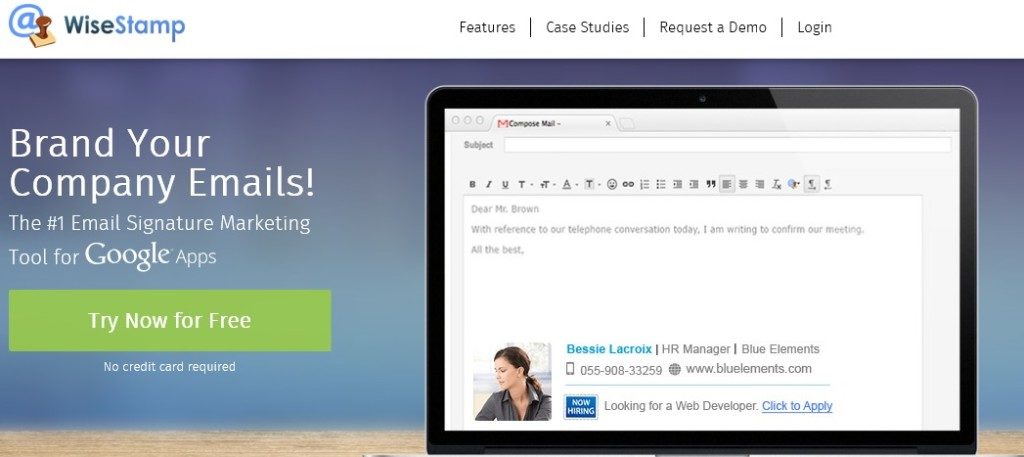
If you want to add some flair to your Emails, WiseStamp is there to help.
It helps you create and design a custom E-mail signature, including your contact info, social links, websites and even a profile photo.
This can help you stand out as “more human,” rather than 2 lines saying: “best, [name].”
Gmail Offline
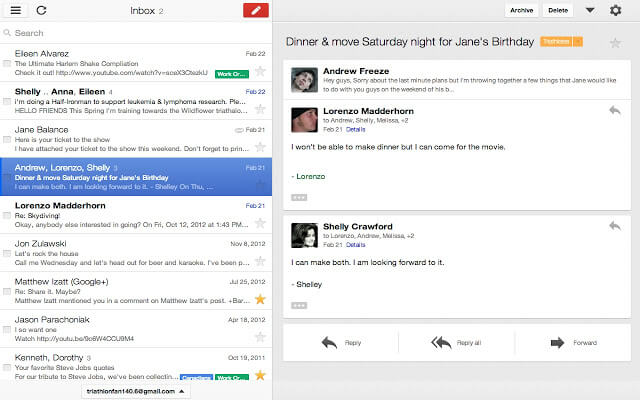
If you’re a frequent traveler, a steady internet connection is a luxury.
Gmail Offline stores your E-mail data offline, allowing you to go through your inbox wherever you are. You can even queue up E-mails, which will be sent out whenever you manage to find Internet.
Checker Plus
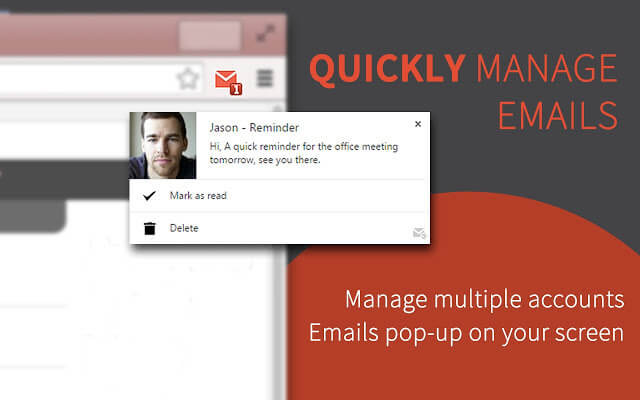
If you manage more than one Gmail account, Checker Plus can be a godsend.
It syncs with all of your accounts and sends out desktop notifications from every one of them. This, however, can be a double-edged sword, with a notification popping up every 2 minutes, depending on how prone to spam you are.
Send From Gmail
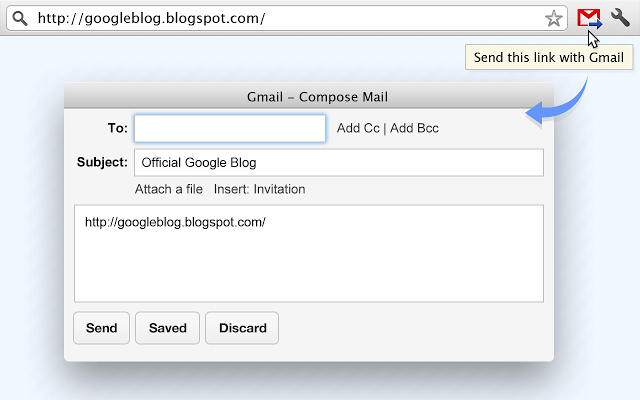
Send From Gmail is one of those Gmail addons that can be useful for everyone.
Most E-mail links you’ll find on the internet are synced with your Microsoft Outlook. This can be very inconvenient if you’re prone to using Gmail in your browser.
Send From Gmail, well, keeps true to its name: it allows you to send out E-mails from Gmail whenever you click an E-mail link online.
About the Author
Amit is the CEO of Tallyfy. He is a workflow expert and specializes in process automation and the next generation of business process management in the post-flowchart age. He has decades of consulting experience in task and workflow automation, continuous improvement (all the flavors) and AI-driven workflows for small and large companies. Amit did a Computer Science degree at the University of Bath and moved from the UK to St. Louis, MO in 2014. He loves watching American robins and their nesting behaviors!